Crayo AI Review 2026: Features, Pricing, Pros & Cons
Part of the AI Video Clipping guide →
Crayo AI review: the short answer
Crayo AI is a short-form video generator built for faceless channels. It makes Reddit story videos, fake text videos and AutoClip clips with AI voiceovers, and every plan includes every tool, from $19 a month (Hobby, 250 generated videos) to $79 a month. Use it if you post faceless TikToks or Shorts every day and are happy to pay from day one, because there is no free plan, no trial and no refunds. If you mostly turn your own long videos into clips and want to post them from the same app, quso.ai has a free plan and schedules to 7 platforms from $39 a month.
Prices checked on October 20, 2026, against crayo.ai/pricing (monthly billing, USD).
{{cta-richtext}}
What is Crayo AI and what does it do?
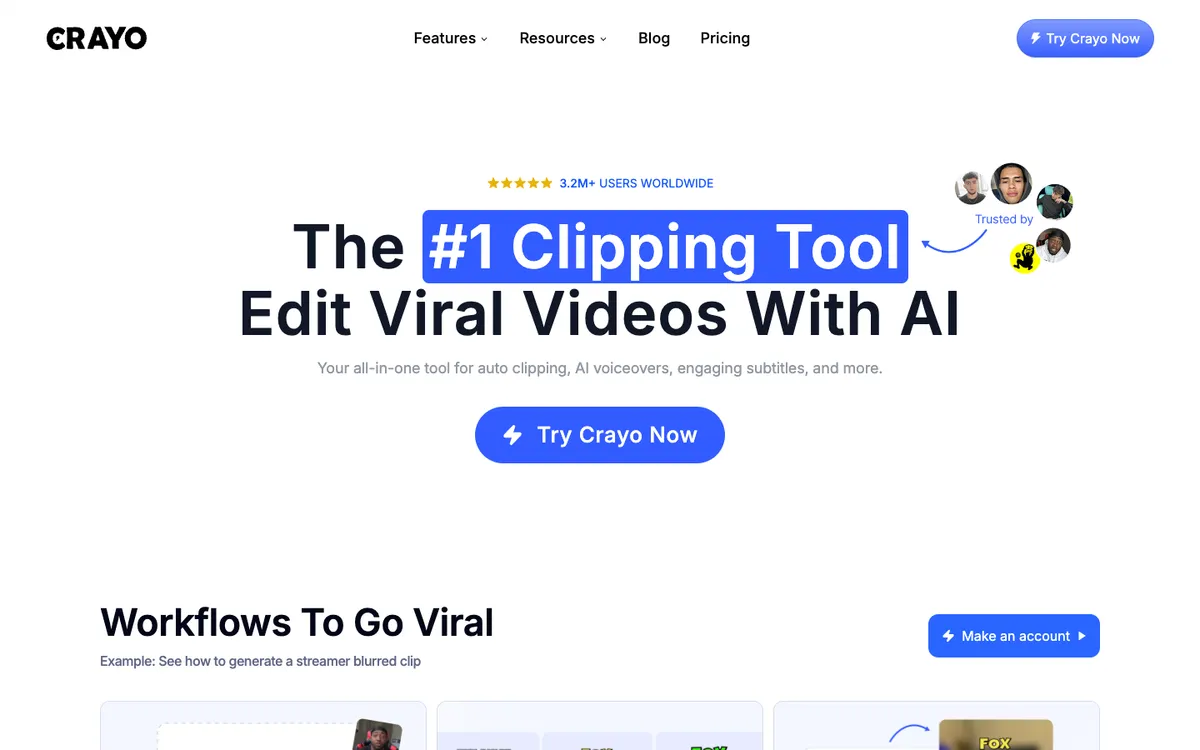
Crayo AI is a web app for making short vertical videos without filming anything. You pick a workflow, give it a script, a Reddit post or a video link, and it builds a finished clip with voiceover and subtitles, ready for TikTok, YouTube Shorts or Instagram Reels.
It is aimed at creators who run faceless channels.
Crayo calls itself an all-in-one platform for editing. It says it has more than 3.2 million users. Around the generators sit a set of utilities: a voice changer, face swap, a subtitle remover, a speech enhancer, an AI brainstorm tool for ideas, and a downloader for YouTube and TikTok videos. A View Tracker follows how your accounts and posts perform.
Crayo AI features
Crayo splits its product into workflows, which each use one credit per finished video, and tools, which have their own monthly limits.
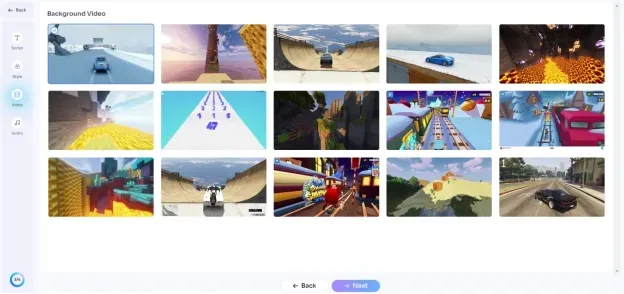
- Reddit story videos. Turns a Reddit post into a narrated video.
- Fake text videos. Builds a chat conversation that plays out on screen with a voiceover.
- AutoClip. Cuts a longer video into short clips.
- AI voiceovers and AI images. 30 to 180 voiceover minutes and 100 to 500 images a month, depending on the plan.
- Editing tools. An advanced video editor, cut and crop, a subtitle remover, background removal and a speech enhancer.
- Languages. Crayo says it supports most languages: you write the text in the language you want and it generates in that language.
- View Tracker. Tracks unlimited accounts and posts, with a monthly allowance of tracker credits.
Crayo AI pricing (October 2026)
Crayo has three paid plans and no free plan. Every plan includes all of Crayo's tools. You choose by volume.
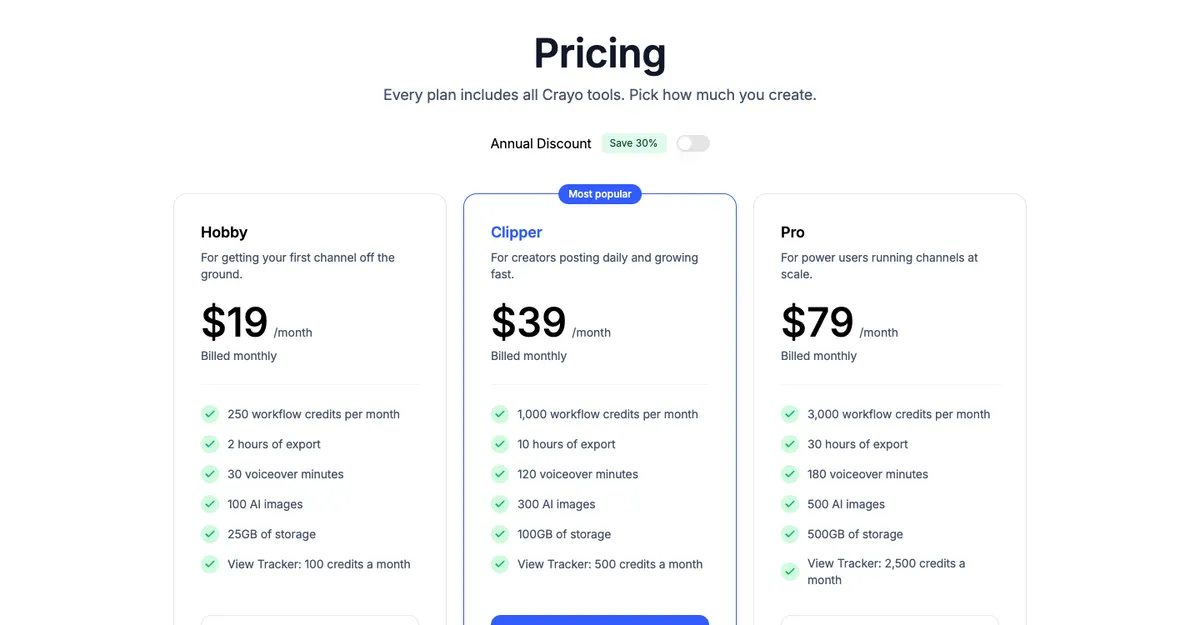
| Plan | Monthly price | Workflow credits a month | Export | Voiceover | AI images | Storage |
|---|---|---|---|---|---|---|
| Hobby | $19/mo | 250 | 2 hours | 30 min | 100 | 25GB |
| Clipper | $39/mo | 1,000 | 10 hours | 120 min | 300 | 100GB |
| Pro | $79/mo | 3,000 | 30 hours | 180 min | 500 | 500GB |
One workflow credit is one finished video. Export is counted in minutes of finished video, so 60 export minutes means sixty 1-minute videos, and subscription credits reset every billing cycle without rolling over.
Two terms matter before you pay. Crayo's FAQ says it does not offer refunds, though you can cancel anytime and keep the plan until the cycle ends. And there is no trial, so your first month is your test.
The price has not moved since our first review in early 2025. The allowance has changed too: Hobby then included 50 AI videos a month, and it now includes 250 workflow credits.
Crayo AI pros
- Every tool on every plan. Hobby gets the same workflows and utilities as Pro, only less of them.
- Cheap per video. 250 generated videos for $19 a month works out to under 8 cents a video.
- Built for faceless formats. Reddit stories and fake texts are templates here, not something you assemble by hand.
- Easy to start. When we tested it in early 2025, we could move between tools without any editing experience.
- You own the output. Crayo says you hold full rights to the videos you make, so you can monetize them.
Crayo AI cons
- No free plan, no trial and no refunds. The cheapest way in is $19 for a month.
- Export minutes run out before credits do. Hobby's 2 hours of export covers 120 one-minute videos, about half of its 250 credits.
- Credits don't roll over. A quiet month is money lost.
- AI voices and captions need checking. In our early-2025 test, auto-captions sometimes missed complex phrases and some voices sounded robotic.
- Not a publishing tool. Its pricing page lists no social scheduler, so finished videos still need to be posted somewhere else.
Is Crayo AI worth it?
It depends on what you make. For a faceless channel, yes: if you post several Reddit or text-story videos a day, the Hobby or Clipper plan costs a few cents per video, and the templates take care of the slowest part of the job. For anyone else the case is weaker. If your content starts as your own podcast, stream or webinar, the faceless templates go unused, and you are paying for AutoClip plus tools you will not touch, with no way to try first.
Crayo AI vs quso.ai
The two tools overlap only on clipping. Crayo generates new faceless videos. quso.ai turns your existing long videos into clips and posts them.
| Crayo AI | quso.ai | |
|---|---|---|
| Free plan | None | 75 credits a month, 720p with a quso.ai watermark, 7-day data retention |
| Cheapest paid plan | Hobby $19/mo, 250 workflow credits, 2 hours of export | Lite $29/mo, 100 credits, unlimited 1080p clips |
| What a credit buys | One finished video | About one minute of processed video |
| Faceless templates | Reddit stories, fake texts | Not listed on its plans |
| Publishing | No scheduler listed | TikTok on Free and Lite; scheduling to 7 platforms on Essential ($39/mo) and Growth ($49/mo) |
| Long-form output | AutoClip clips | Chapters and short videos in 16:9, 9:16 and 1:1 |
| Planning and analytics | View Tracker | Content Planner on Essential; social media analytics on Growth |
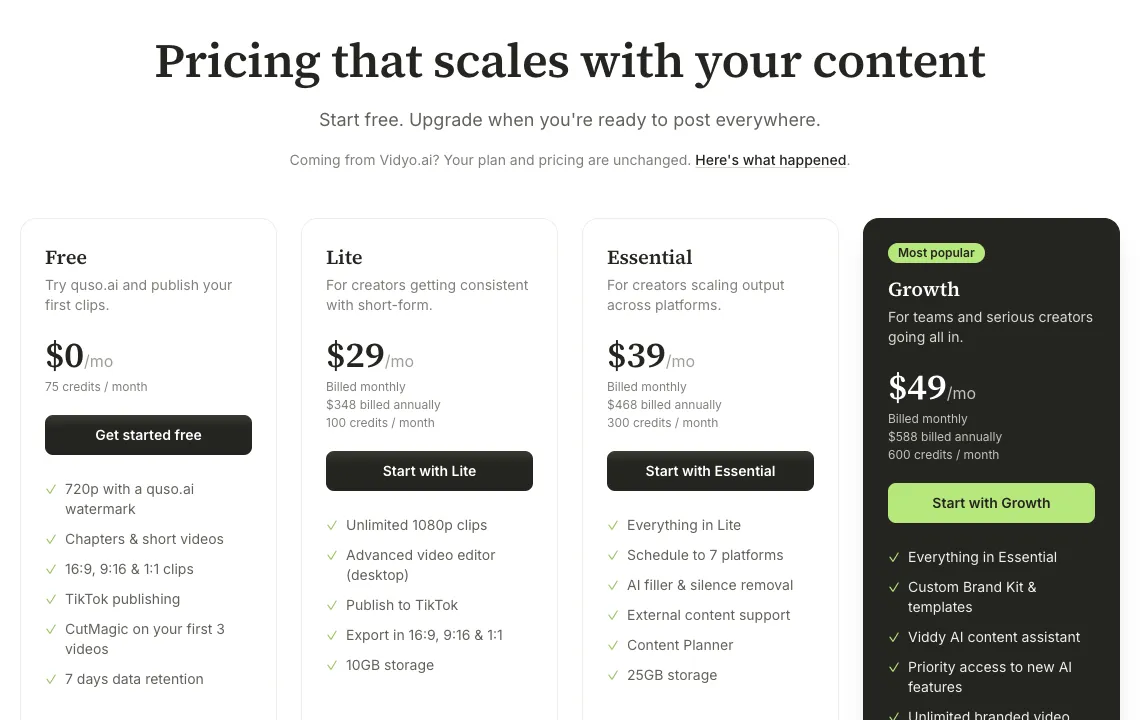
Sources: crayo.ai/pricing and quso.ai/pricing, checked October 20, 2026.
Where Crayo wins: faceless templates, a lower entry price, and far more generated videos per dollar. Where quso.ai wins: you can start free, the clips come from footage you already own, and from Essential the same app schedules them to 7 platforms. quso.ai's AI clip maker is the closer match if Crayo's AutoClip was the only feature you used.
Looking at other clippers too? Our Vizard AI review covers a tool with a 60-credit free plan, and our 2short.ai review and alternative page covers a low-cost clipper that turns YouTube videos into Shorts.
How quso.ai turns a long video into clips, from the quso.ai YouTube channel.
Who should use Crayo AI
- Faceless channel owners posting Reddit stories or text-message videos daily.
- Clippers who need hundreds of short videos a month at a low price per video.
- Anyone happy to pay before testing, since there is no free plan or refund.
Pick quso.ai instead if you have long videos of your own, want to try for free, or want to clip a YouTube video by pasting the link and publish the results from the same place. Log in or sign up to try it.
Frequently asked questions
What does Crayo AI do?
Crayo AI makes short-form videos for TikTok, YouTube Shorts and Instagram Reels. It generates Reddit story videos, fake text message videos and AutoClip clips from longer videos, and adds AI voiceovers, AI images, subtitles and an editor. Its listed use cases include faceless channels, clippers, podcast clips and streamers.
Is Crayo AI completely free?
No. Crayo has no free plan or free trial on its pricing page. Paid plans cost $19, $39 or $79 a month, and Crayo does not offer refunds. It does have separate free tools, such as a video compressor and an MP3 converter, that are not a subscription.
How much does Crayo AI cost?
Billed monthly, Hobby is $19 a month (250 workflow credits, 2 hours of export), Clipper is $39 a month (1,000 credits, 10 hours of export) and Pro is $79 a month (3,000 credits, 30 hours of export). Every plan includes every tool. Prices checked on crayo.ai/pricing on October 20, 2026.
Is Crayo AI worth it?
For faceless channels, usually yes. Hobby gives 250 generated videos a month for $19, and every tool is on every plan. It is a weaker buy if you want to try before paying, if you need refunds, or if your main job is clipping and publishing your own long videos.
Who is the CEO of Crayo AI?
Crayo's team page does not name a CEO. It lists three co-founders: Aleem Rehmtulla (co-founder and engineer), Musa Mustafa (co-founder and CMO) and Daniel Bitton (co-founder and CGO).
Can I monetize videos made with Crayo?
Yes. Crayo's pricing FAQ says you fully own the rights to the videos you create with it. Each platform's own monetization rules still apply.
Is there a free Crayo AI alternative?
For clipping long videos, yes. quso.ai's free plan gives 75 credits a month (about 75 minutes of video), 720p exports with a quso.ai watermark and TikTok publishing. It does not make Reddit story or fake text videos, so it replaces Crayo's AutoClip, not its faceless templates.
Crayo prices, plan limits and policies checked against crayo.ai/pricing (monthly billing, USD) on October 20, 2026; features from crayo.ai and the founder names from crayo.ai/team on the same day. quso.ai prices and plans come from quso.ai/pricing. Both companies can change prices at any time, so check the official pages before you buy.