OpusClip Review 2026: Plans, Credits, Strengths and Weaknesses
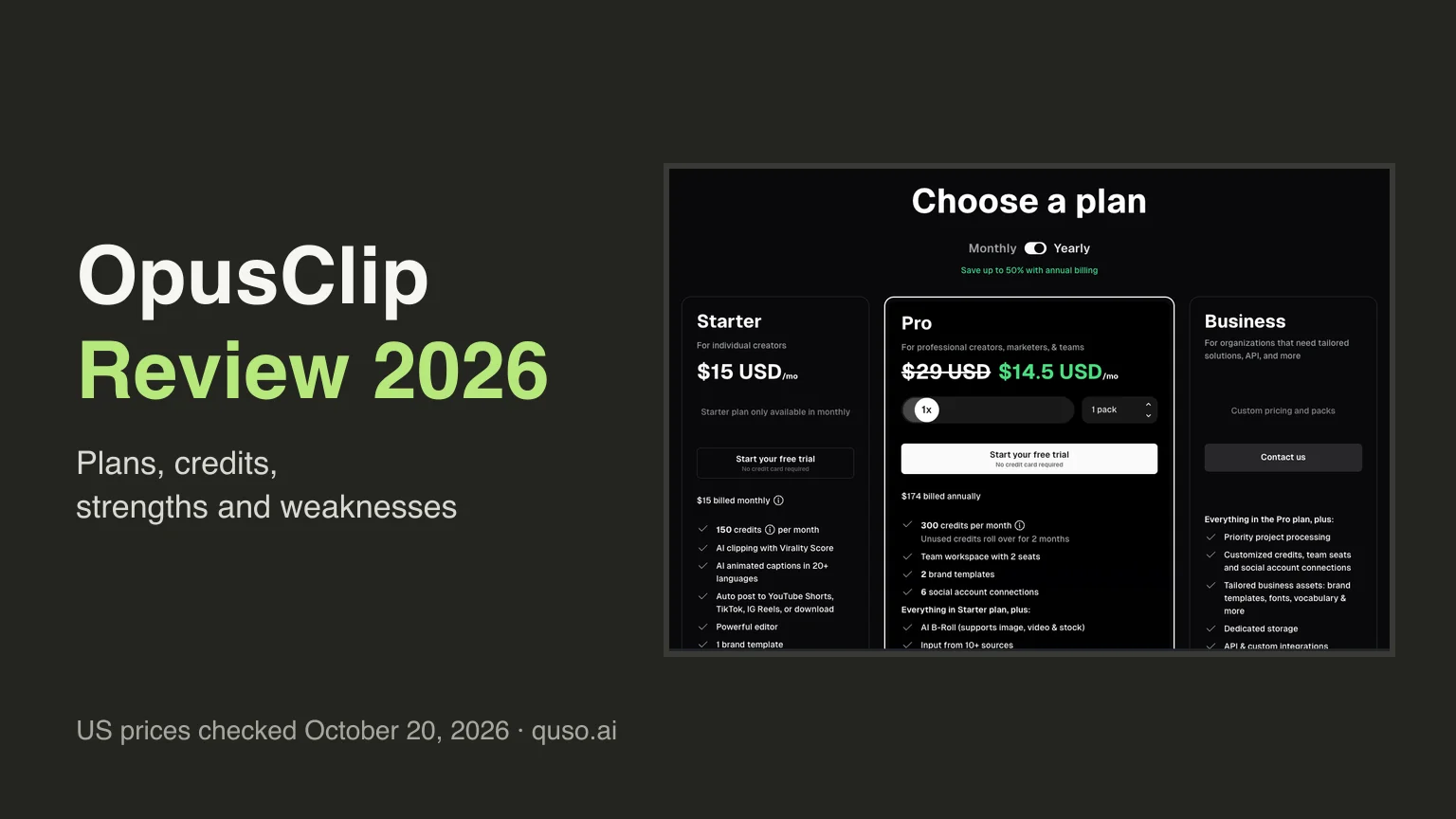
OpusClip review: the short answer
OpusClip is a capable AI clipper with a low price per minute. It turns a long video into captioned vertical clips, scores each clip with a Virality Score, and on its Pro plan ($29 a month, or $14.50 a month billed yearly, for 300 minutes of video) adds a scheduler for 9 platforms, Premiere Pro and DaVinci Resolve export, and team seats. Its weak spots are the free plan (watermark, no editor, clips that stop being exportable after 3 days, 9:16 only) and a $15 Starter plan with no scheduler and no square or landscape clips. Pick OpusClip if price per minute matters most. Pick quso.ai if you want a larger free plan, link import from every source on every plan, or 1:1 and 16:9 exports on the cheapest paid plan.
Prices checked on October 20, 2026, against opus.pro/pricing (US prices, USD) and OpusClip's help center. OpusClip charges less in some countries.
What OpusClip is
OpusClip (often written "Opus Clip") is an AI video repurposing tool. You give it a long video, such as a podcast episode, a webinar or a YouTube upload, and it finds the moments most likely to work as short clips. It cuts them, reframes them to vertical, adds animated captions, and gives each one a Virality Score so you know which to post first.
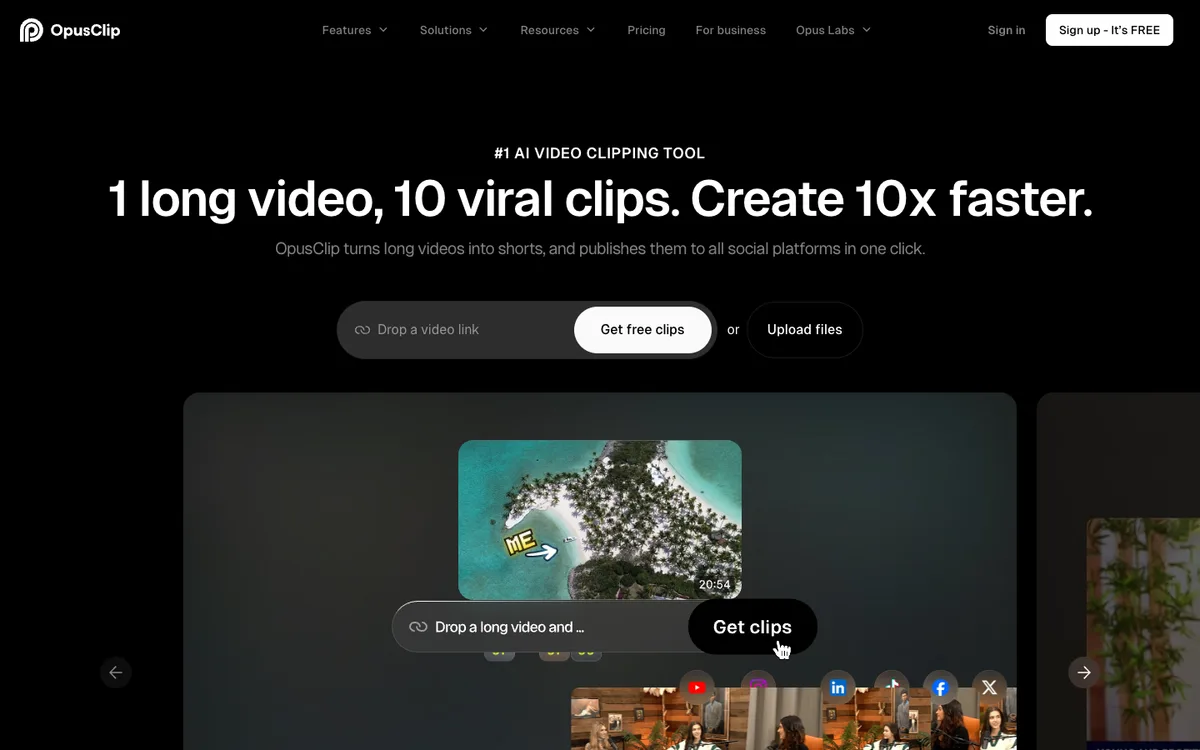
That is the whole pitch. It does it well.
Around the clipper, OpusClip has grown a full workflow: a text and timeline editor, AI B-roll, a social scheduler, an iPhone app, an API, and a separate product called Agent Opus that makes videos from ideas, scripts or images. Most of that sits on the Pro plan, which is why the plan you pick changes the review more than any single feature does.
OpusClip plans and credits (US prices, October 2026)
OpusClip bills in credits. One credit is one minute of video processing, so a 60-minute podcast costs 60 credits however many clips you keep.
| Plan | US price | Credits a month | Watermark | Aspect ratios | Posting |
|---|---|---|---|---|---|
| Free | $0 | 60 | Yes | 9:16 | None; clips stop being exportable after 3 days |
| Starter | $15/mo, monthly billing only | 150 | No | 9:16 | Post to YouTube Shorts, TikTok and Instagram Reels; no scheduler |
| Pro | $29/mo, or $14.50/mo billed yearly ($174/yr), per pack | 300 per pack | No | 9:16, 1:1, 16:9 | Social media scheduler |
| Business | Custom | Custom | No | 9:16, 1:1, 16:9 | Scheduler, plus 4K schedule and download |
Source: opus.pro/pricing, US prices, checked October 20, 2026. Pro scales by packs: each pack adds 300 credits at the same price, up to 5 packs on monthly billing and 15 on yearly.
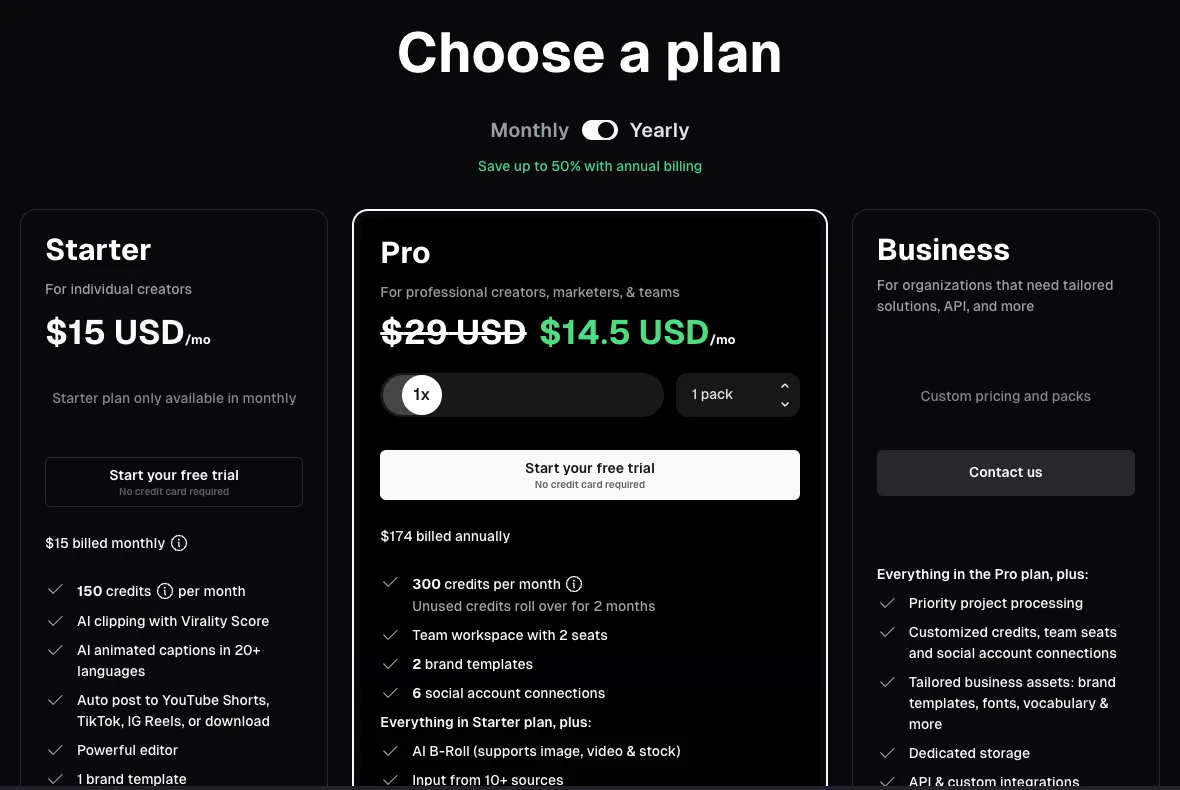
A few credit rules decide the real bill. Partial minutes round down, so a 4.5-minute video costs 4 credits. Posting to X costs 3 credits per clip for each X account. Unused credits roll over for 1 month on monthly billing and 2 months on Pro billed yearly. The help center covers the rounding and the X cost. For every plan in detail, read our OpusClip pricing breakdown.
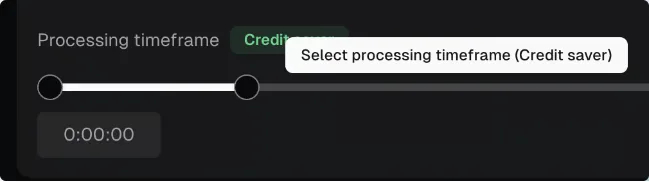
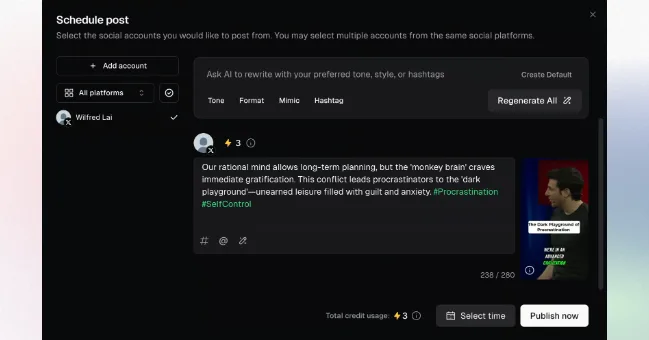
Using OpusClip, step by step
Sign-up takes a minute. OpusClip offers a free trial of its paid plans with no credit card, and a Pro trial turns into a Free account after 7 days.
On Free you import a local file or a YouTube link. Starter adds Google Drive, Vimeo, Zoom, Rumble and StreamYard, and Pro adds Dropbox, Twitch, Facebook, LinkedIn, X, Loom and more, so the plan you are on decides where your video can come from.
Then you wait while it processes. The result page lists the clips it found, with captions already burned in. On Starter and Pro each clip also gets a Virality Score; Free users don't see it.
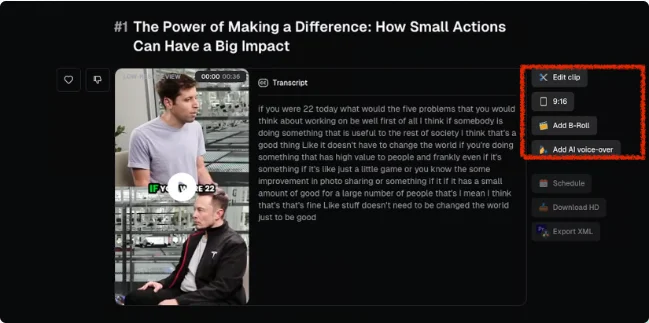
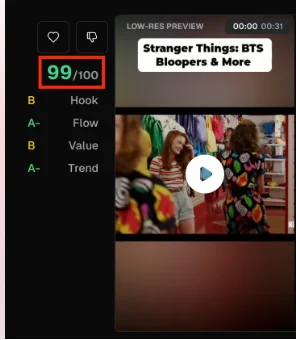
From there, the plans split hard. Free has no editor: you take the clips as they come, with a watermark, and you have 3 days to export them. Starter and Pro open a text and timeline editor, remove the watermark, and let you post to YouTube Shorts, TikTok and Instagram Reels; only Pro and Business can schedule posts for later.
OpusClip's own step-by-step tutorial, from the OpusClip YouTube channel. It shows the import, clip review and editor screens described above.
Where OpusClip is strong
- Price per minute. Pro billed yearly works out to about $0.048 per minute of video ($14.50 for 300 minutes). Billed monthly, Starter and Pro both land near $0.10 a minute.
- A scheduler on a mid-price plan. Pro schedules to YouTube, Instagram, TikTok, LinkedIn, Facebook, X, Pinterest, Threads and Bluesky (source).
- Hand-off to a real editor. Pro exports an XML project for Premiere Pro and DaVinci Resolve (source), which matters if an editor finishes your clips.
- 1080p on the free plan. Free clips render at up to 1080p, watermark included.
- An iPhone app. OpusClip is on the App Store (source).
- Teams and developers. Each Pro pack includes 2 seats, up to 4 (source). API access is in beta on Pro and full on Business (source).
- AI editing extras on Pro. Prompt to clip, topic search, AI video B-roll, video dubbing and speech enhancement.
Where OpusClip falls short
- The free plan is a demo. 60 minutes a month, a watermark, no editor, 9:16 only, no posting, and clips that can no longer be exported after 3 days. Our guide to OpusClip's free plan covers each limit.
- Starter is thin. $15 buys 150 minutes, but no scheduler, no 1:1 or 16:9 clips and no yearly price.
- The best price needs a year up front. The $14.50 rate means paying $174 at once, and unused credits roll over for only 2 months.
- Import sources are gated by plan. Twitch, Facebook, LinkedIn, X, Dropbox and Loom links need Pro.
- Posting to X costs extra credits, at 3 per clip per X account.
An independent walkthrough of OpusClip by creator Nick Nimmin, if you want a second opinion beyond OpusClip's own tutorial. The interface may have changed since it was recorded.
OpusClip vs quso.ai
quso.ai uses the same credit model (one credit is about one minute of processed video), so the two compare minute for minute. On price, OpusClip usually wins. Here is the side-by-side, using each company's own pricing page:
| OpusClip | quso.ai | |
|---|---|---|
| Free plan | 60 min a month, up to 1080p, watermark, no editor, export window of 3 days | 75 min a month, 720p with a quso.ai watermark, TikTok publishing, 7-day retention |
| Cheapest paid plan | Starter $15/mo, 150 min, no scheduler | Lite $29/mo, 100 min, 1080p, TikTok publishing, 16:9, 9:16 and 1:1 export |
| About 300 min a month | Pro $29/mo, or $14.50/mo billed yearly | Essential $39/mo, with scheduling to 7 platforms |
| About 600 min a month | Pro, 2 packs: $58/mo, or $29/mo billed yearly | Growth $49/mo |
| Scheduling starts on | Pro (9 platforms) | Essential (7 platforms) |
| Import on the free plan | Local upload and YouTube | Every source: YouTube, Vimeo, X, Facebook, Twitch, Rumble, Loom, LinkedIn and Zoom links, Google Drive, Dropbox and upload |
Sources: opus.pro/pricing (US) and quso.ai/pricing, checked October 20, 2026. quso.ai prices are monthly.
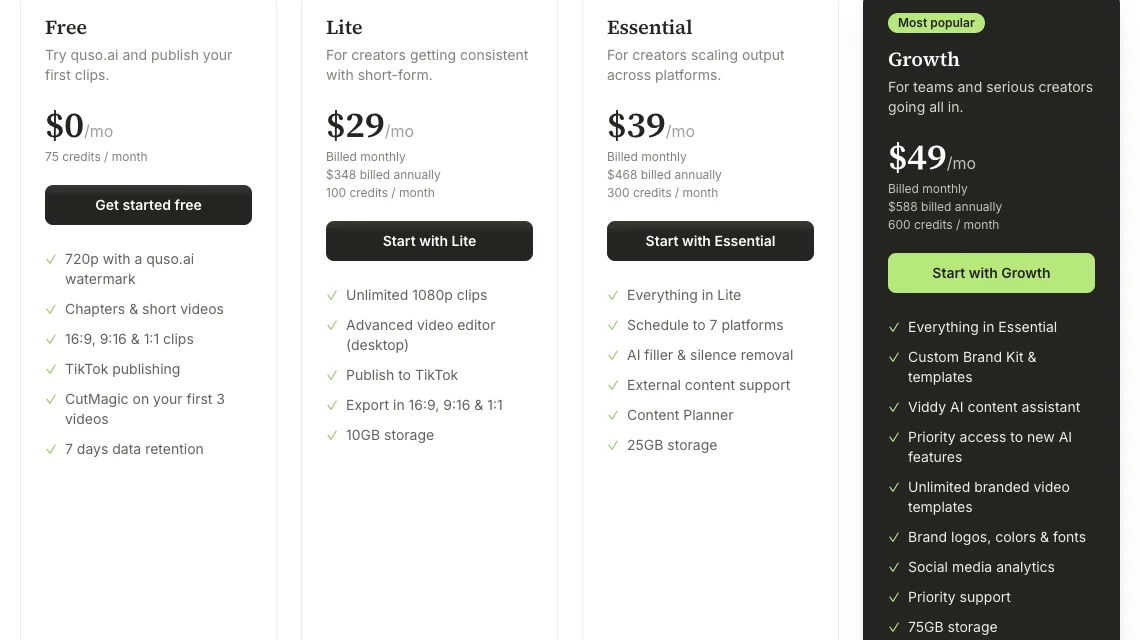
So where does quso.ai come out ahead? In three places. Its free plan is bigger: 75 minutes instead of 60, a week of retention instead of a 3-day export window, publishing to TikTok, and link import from every supported source (free-plan details). Its cheapest paid plan already exports 16:9 and 1:1 as well as 9:16, which OpusClip saves for Pro. And at about 600 minutes a month on monthly billing, Growth costs $49 against $58 for two OpusClip Pro packs.
Beyond price, quso.ai adds subtitles in 100+ languages, CutMagic scene detection, a virality score of its own, and a content planner and social analytics on its higher plans. OpusClip lists captions in 20+ languages.
The full, sourced comparison, with cost per minute at five monthly volumes, is on our Opus Clip alternative page.
On a tight budget? Our 2short.ai review covers a cheaper, YouTube-focused clipper that charges $9.90 a month for 5 hours of video, with face tracking and animated subtitles but no posting or scheduling listed on its site.
Who should use OpusClip
- Solo podcasters and YouTubers who process up to about 300 minutes a month and can pay yearly. Pro at $14.50 a month is hard to beat.
- Teams with an editor in Premiere Pro or DaVinci Resolve, who want AI to find the moments and a human to finish them.
- iPhone-first creators who want a native app.
Making faceless videos rather than clipping your own? That is a different job. Our Crayo AI review covers a tool that generates Reddit story and fake text videos from a script and charges per finished video rather than per minute of footage.
Who should pick quso.ai instead
- People testing AI clipping for free. 75 minutes a month, a week to export, TikTok publishing, and any link source.
- Creators whose videos live on Twitch, Vimeo, Loom, LinkedIn or Zoom, who would otherwise need OpusClip Pro to import them.
- Anyone posting square or landscape clips who doesn't want a Pro plan to get them.
- Monthly payers at around 600 minutes, where quso.ai Growth costs less.
How quso.ai turns a long video into clips, from the quso.ai YouTube channel.
Verdict
OpusClip earns its place. On price per minute it beats quso.ai at most volumes, and Pro is a complete clipping, editing and scheduling setup. The catch is at both ends: a free plan built to push you to upgrade, and a Starter plan that leaves out the scheduler and the extra aspect ratios. If you can commit to Pro for a year, buy it. If you want to start free, or need more import sources and formats before you pay, start with quso.ai.
Frequently asked questions
Is OpusClip worth it?
For most paying creators, yes. Pro costs $29 a month, or $14.50 a month billed yearly, for 300 minutes of video, and includes a scheduler for 9 platforms, Premiere Pro and DaVinci Resolve export, and 1:1 and 16:9 clips. The free plan is limited: a watermark, no editor, 9:16 only, and clips that can no longer be exported after 3 days.
How much does OpusClip cost?
In the US, OpusClip Free is $0 with 60 credits a month, Starter is $15 a month for 150 credits (monthly billing only), Pro is $29 a month or $14.50 a month billed yearly ($174 a year) for 300 credits per pack, and Business has custom pricing. One credit is one minute of video processing. Prices checked on opus.pro/pricing on October 20, 2026.
Does OpusClip add a watermark?
On the free plan, yes. Starter, Pro and Business export without a watermark. quso.ai's free plan also adds a watermark, and its paid plans remove it.
Is OpusClip better than quso.ai?
On price, usually. OpusClip Pro covers 300 minutes for $29 a month, or $14.50 billed yearly, against $39 a month for quso.ai Essential. quso.ai is cheaper at about 600 minutes a month on monthly billing ($49 against $58), and its free plan gives more: 75 minutes a month, 7-day retention, TikTok publishing and link import from every source.
What is the best OpusClip alternative?
quso.ai, if you want a larger free plan, more import sources before you pay, or 16:9 and 1:1 exports on the cheapest paid plan. For other options, see our Vizard review and the Opus Clip alternative comparison.
OpusClip prices and plan terms checked against opus.pro/pricing (US prices) on October 20, 2026. Credit rounding, the X posting cost, import sources by plan, the free trial, the iPhone app, XML export, API access and team seats come from OpusClip's help center on the same day. quso.ai prices and plans come from quso.ai/pricing. Both companies can change prices at any time, so check the official pages before you buy.